SNMP: Get Subtree Node
The SNMP: Get Subtree Node allows you to read values from multiple OIDs on your SNMP device. This node is available in edge workflows.
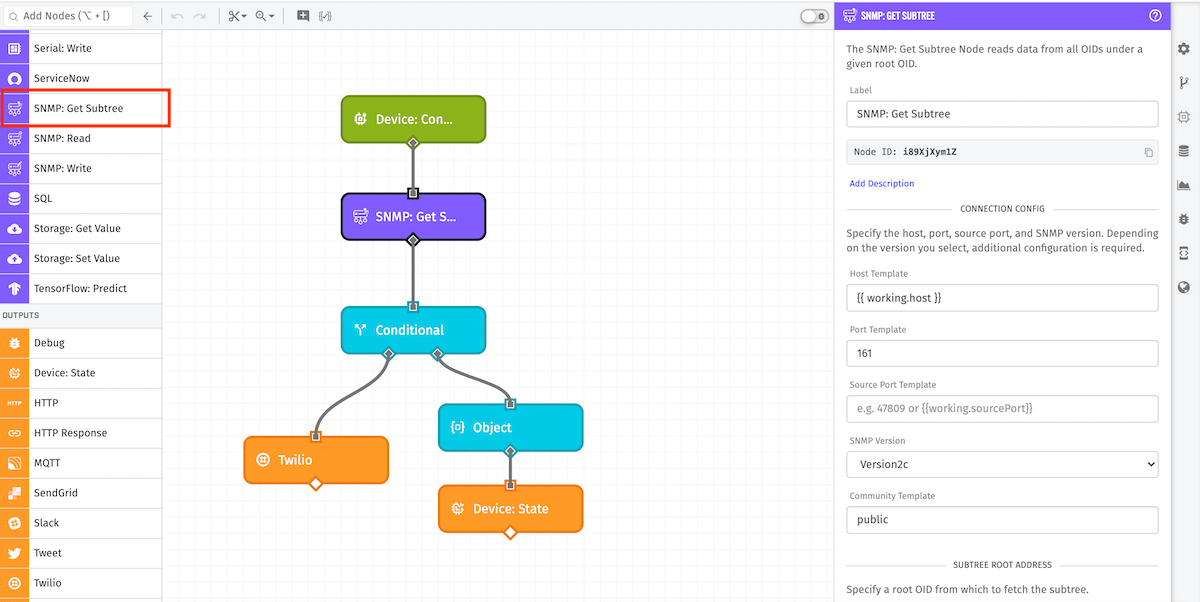
Node Properties
There are three categories to the configuration for the SNMP: Get Subtree Node: the connection, the subtree root address, and the result.
Connection Configuration
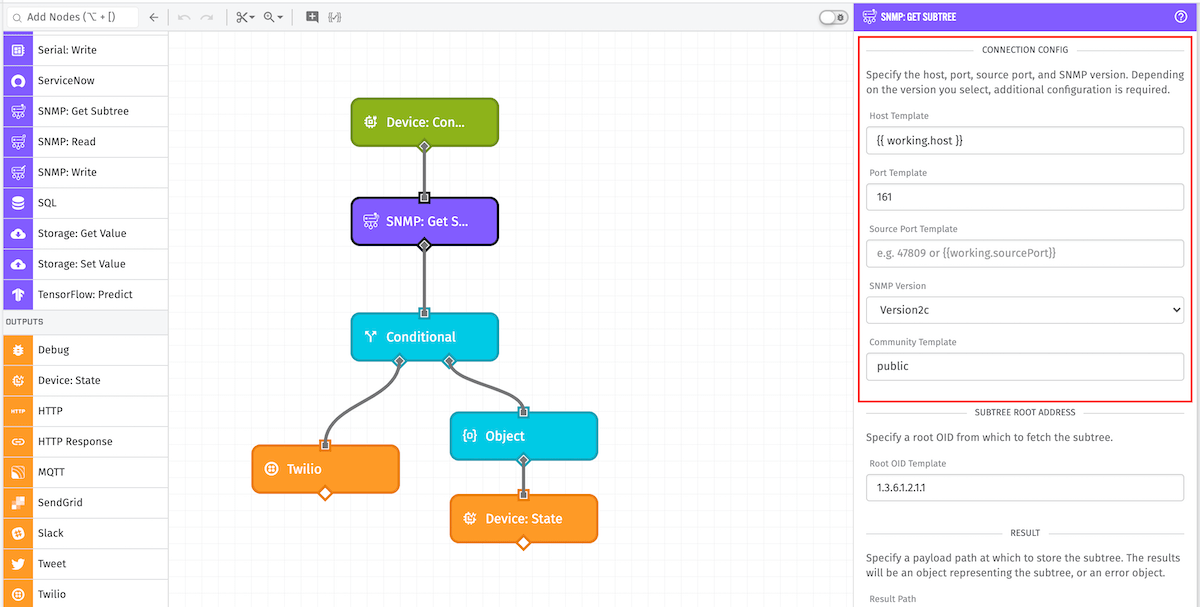
First, configure the information to establish a connection to the device.
- Host Template: (Required) A string template for the destination address. This can be either an IPv4 or IPv6 address, or a hostname that resolves to an address.
- Port Template: (Optional) A string template or integer for the UDP port at the target address. Default is port 161.
- Source Port Template: (Optional) A string template or integer for the UDP port from which the message should be sent on the edge device. If not provided, a random port is selected at runtime.
- SNMP Version: (Required) The version of SNMP with which to establish a connection. Options are
Version1,Version2c, orVersion3. Defaults toVersion2c.
Depending on the version selected, additional input is required.
Version1 and Version2c Configuration
- Community Template: (Required) A string template for the community credential delivered with the request. Defaults to
public.
Version3 Configuration
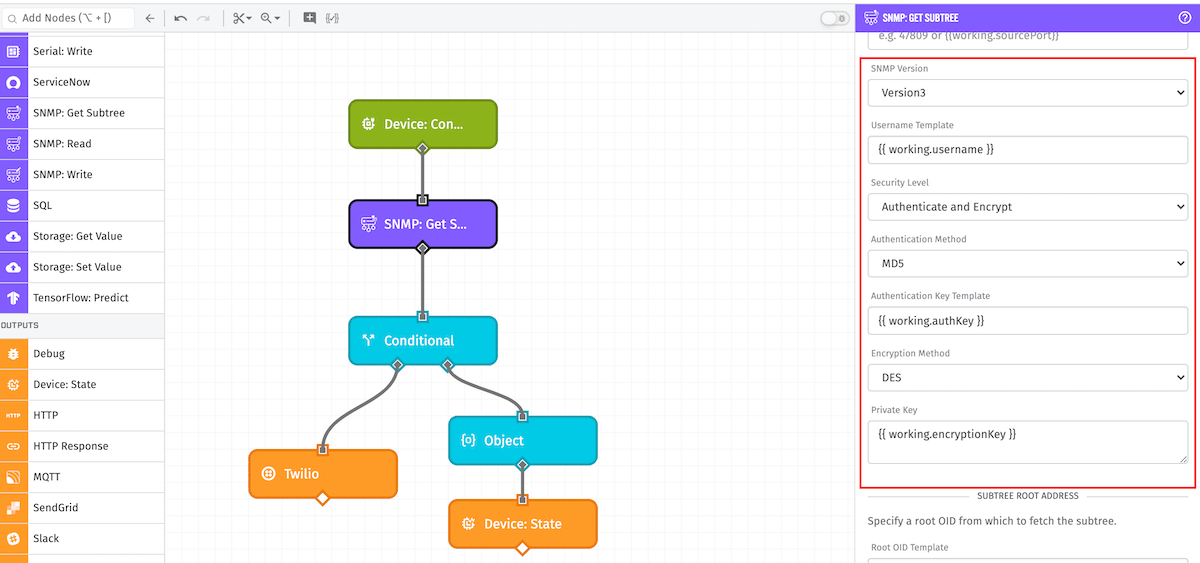
- Username Template: (Required) A string template for the username.
- Security Level: (Required) The amount of security to use when establishing the SNMP connection. Options are
No Authentication or Encryption,Authenticate, No Encryption, andAuthenticate and Encrypt. - Authentication Method: The protocol to use for authentication. Required if the selected security level requires authentication. Options are
SHAorMD5. Defaults toSHA. - Authentication Key: A string template for the authentication key. Required if the selected security level requires authentication.
- Encryption Method: The method to use to encrypt the requested data. Options are
DESorAES. Defaults toDES. Required if the selected security level requires encryption. - Private Key: A string template for the key to use when encrypting the requested data. Required if the selected security level requires encryption.
Subtree Root Address
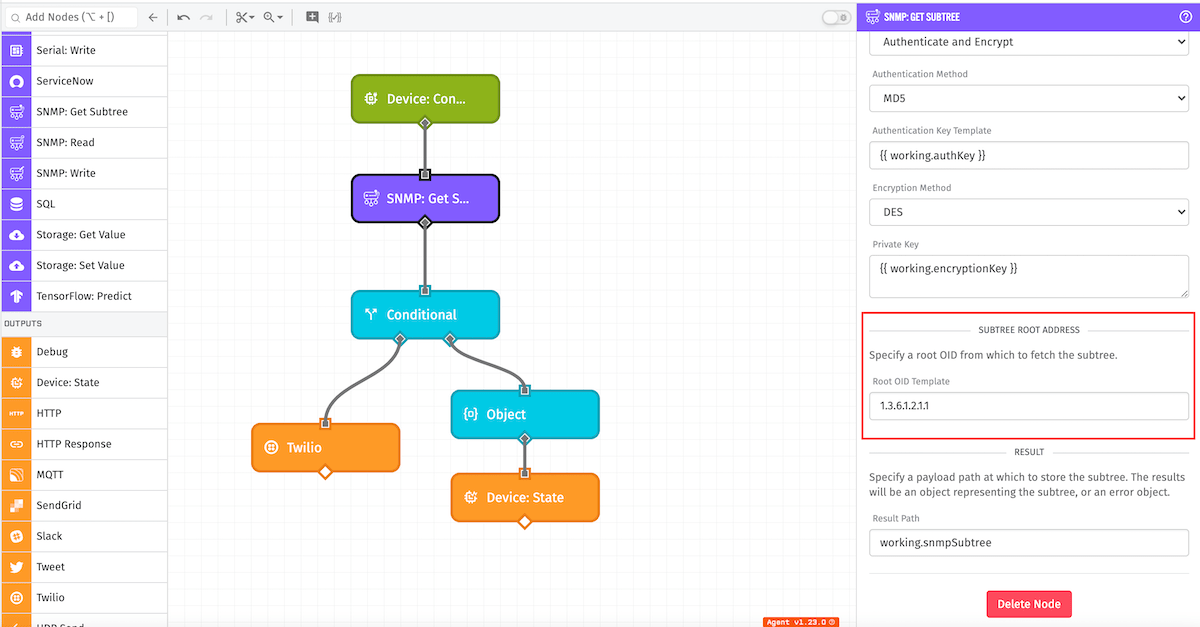
Next, indicate the Root OID under which to search. The Subtree Root Address is a templatable field representing the prefix for all OIDs to be returned. This should be a valid OID template of integers separated by periods.
Result
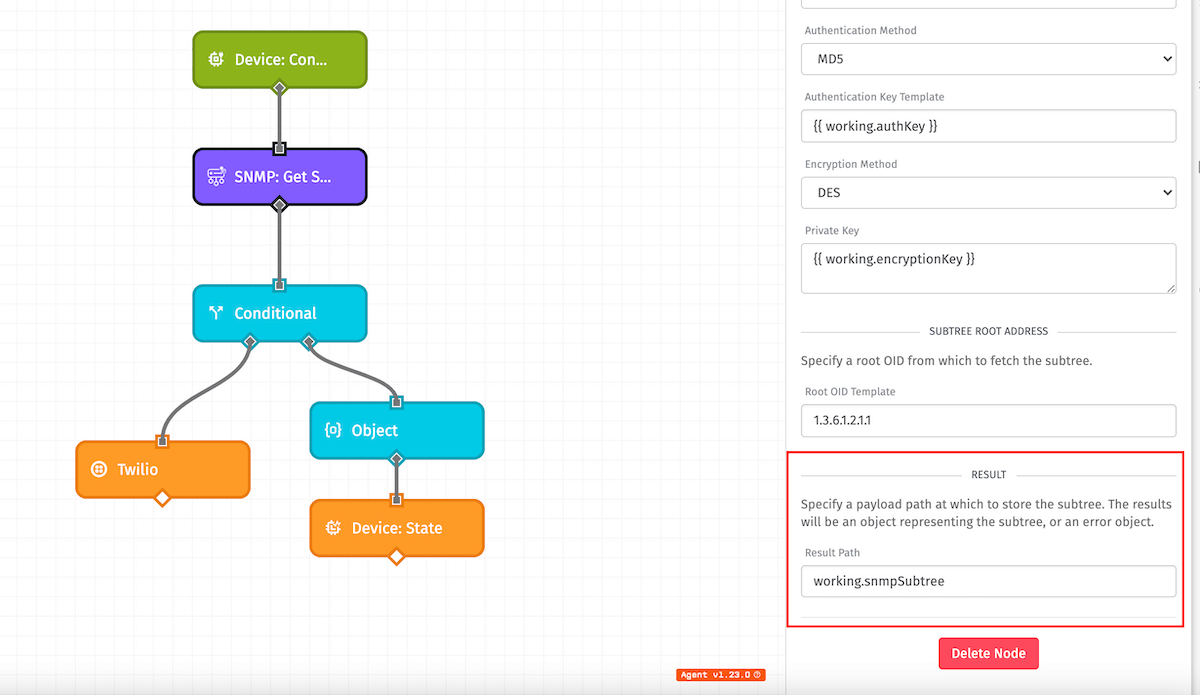
The result path defines where on the payload to store the result of the subtree read. If values are successfully read, this represents an object with key-value pairs representing each OID and associated value. If there are any errors, the result includes an object with details about the error.
Node Example
The following is an example of a successful subtree read for root OID 1.3.6.1.2.1.1:
{
  "1.3.6.1.2.1.1.1.0": "System Value",
  "1.3.6.1.2.1.1.4.0": "System Name",
  "1.3.6.1.2.1.1.6.0": "System Location: 3 and 4",
  "1.3.6.1.2.1.1.7.0": 194
}
Node Errors
The following is an example of a failed subtree read due to timeout:
{
  "error": {
    "message": "Request timed out",
    "type": "SnmpGetSubtreeError"
  }
}
Related Nodes
Was this page helpful?
Still looking for help? You can also search the WEGnology Forums or submit your question there.