Modbus: Word - Double-Word Node
The Modbus: Word - Double-Word node reads data from Modbus devices in 16-bit and 32-bit scenarios using a single configuration. This simplifies flows when a device exposes different registers for status values and analog measurements.
This node supports Modbus TCP, Modbus RTU, and Modbus ASCII Serial and is available in Edge Workflows.
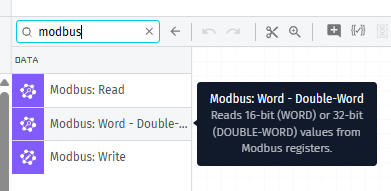
Node Properties
The node is read-only. Its main purpose is to read a Modbus register as either a WORD (16 bits) or a DOUBLE-WORD (32 bits), then write the converted value into the payload.
The configuration follows the same idea as traditional Modbus nodes, but with an important difference: the register type field defines whether the node will behave as WORD or DOUBLE-WORD. From that choice, the fields displayed change to reflect the correct read behavior.
In general, you will first configure the connection, then the address and read settings, and finally the output fields in the payload.
Address Configuration
In the address section, the main fields are Connection Type, Register Type, and Address Template. The Address Template value depends on the chosen type:
- In WORD, the address must be between
0and65,535. - In DOUBLE-WORD, the starting address must be between
0and65,534, because the node uses two consecutive registers.
This is important to avoid validation errors and to ensure that 32-bit read operations do not exceed the limit of valid registers.
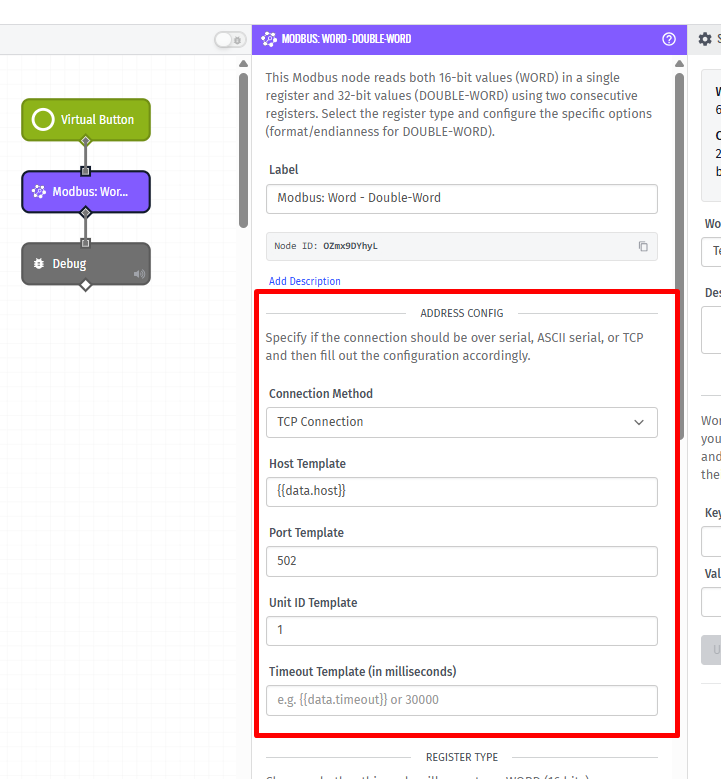
Common Configuration
Regardless of the connection type, two fields appear frequently:
- Unit ID: identifies the Modbus slave on the bus.
- Timeout Template: defines the maximum wait time for the response.
In practice, a well-adjusted timeout avoids false errors in networks with latency and helps keep the flow responsive.
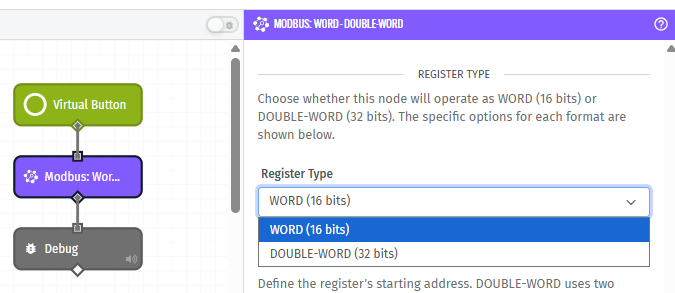
Register Type
The Register Type field defines how the node interprets the data returned by Modbus.
| Type | Description |
|---|---|
WORD | Reads a single 16-bit register. |
DOUBLE-WORD | Reads two consecutive 16-bit registers and converts them into one 32-bit value. |
The node does not guess the type automatically. The register type must match the device manual, otherwise the interpreted value can be wrong.
WORD Configuration
The WORD behavior is fixed and read-only.
- The node reads a single 16-bit register.
- The returned value is interpreted as a signed 16-bit integer.
- Scaling can be applied with multiplier and offset.
This means the node always reads WORD values as signed integers in the range of -32,768 to 32,767.
DOUBLE-WORD Configuration
The DOUBLE-WORD section controls how the node converts two 16-bit registers into one 32-bit value.
formatTemplate: defines how the two registers should be interpreted.endiannessTemplate: defines the register order.- Scaling can be applied with multiplier and offset.
Available formats:
| Value | Description |
|---|---|
int32 | Interprets the value as a signed 32-bit integer. |
float | Interprets the value as an IEEE 754 floating-point number. |
Available endianness values:
| Value | Description |
|---|---|
big | The first register is the most significant word. |
little | The register order is swapped before conversion. |
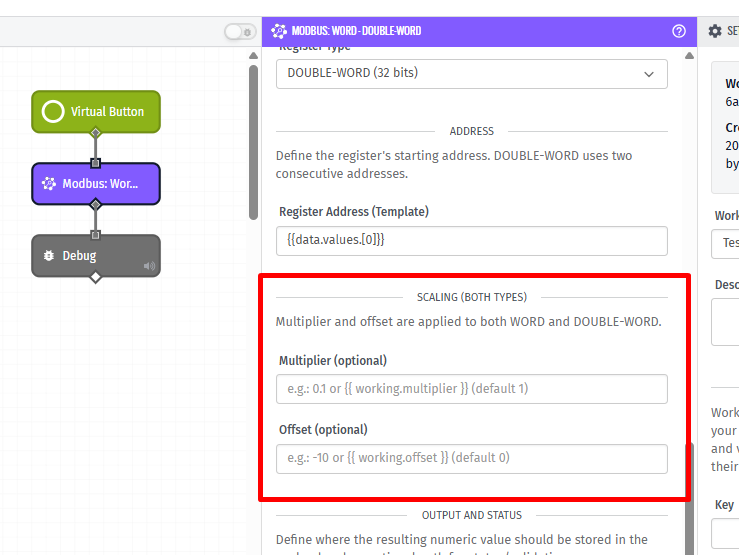
Scaling (Both Types)
Multiplier and offset are applied to both WORD and DOUBLE-WORD.
The final value is calculated as:
final value = raw value × multiplier + offset
This is useful when the device returns a raw value that must be converted into engineering units, such as volts, amps, pressure, or power.
- If multiplier is not configured, it defaults to
1. - If offset is not configured, it defaults to
0.
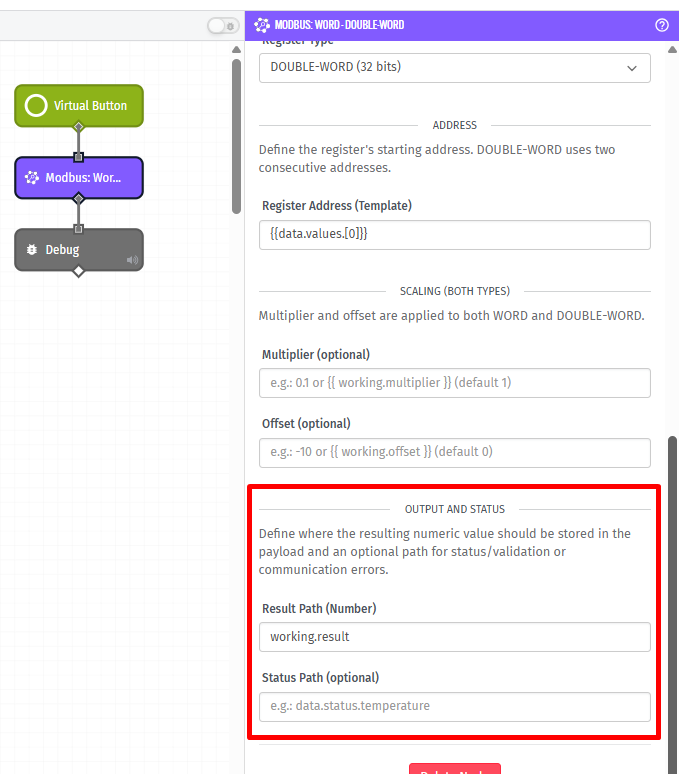
Destination Path
The Destination Path is the location where the final processed value will be saved in the payload. In read operations, it receives the value already converted, with multiplier and offset applied when configured.
For observability, it is recommended to also configure statusPath. This way, the flow records whether the operation finished successfully (ok) or if there was a communication or validation failure.
Node Examples
Example 1 — Reading a 32-bit Float (Power Meter)
A common example is reading power from a meter that publishes a 32-bit float. In this case, configure:
| Field | Value |
|---|---|
| Register Type | DOUBLE-WORD |
| Address Template | 1000 |
| formatTemplate | float |
| endiannessTemplate | big (or little, according to the manual) |
| destinationPath | data.measurements.power |
| statusPath | data.status.modbus |
Expected output:
{
  "data": {
    "measurements": {
      "power": 12.56
    },
    "status": {
      "modbus": {
        "status": "ok"
      }
    }
  }
}
Example 2 — Reading a 16-bit Signed Register (Temperature)
A simpler example is reading a 16-bit signed register:
| Field | Value |
|---|---|
| Register Type | WORD |
| Address Template | 200 |
| multiplierTemplate | 0.1 |
| offsetTemplate | 0 |
| destinationPath | data.measurements.temperature |
Expected output:
{
  "data": {
    "measurements": {
      "temperature": 25.4
    }
  }
}
Node Errors
When something fails, errors are usually divided into two groups: validation and communication.
Validation Errors
Occur before the connection attempt, for example:
- Address out of the allowed range;
- Invalid register type;
- Invalid endianness for DOUBLE-WORD;
- Invalid format for DOUBLE-WORD;
- Template values that do not resolve to valid numbers.
Communication Errors
Appear when the configuration is valid, but the operation with the device does not complete successfully, such as timeout, network unavailability, or device error.
In these cases, with statusPath configured, the payload receives:
{
  "data": {
    "status": {
      "modbus": {
        "status": "communication-error",
        "errorType": "modbus-error",
        "message": "Modbus read failed (Double-Word)."
      }
    }
  }
}
With additional details about the failure.
Related Nodes
Was this page helpful?
Still looking for help? You can also search the WEGnology Forums or submit your question there.