Modbus: Float Convert
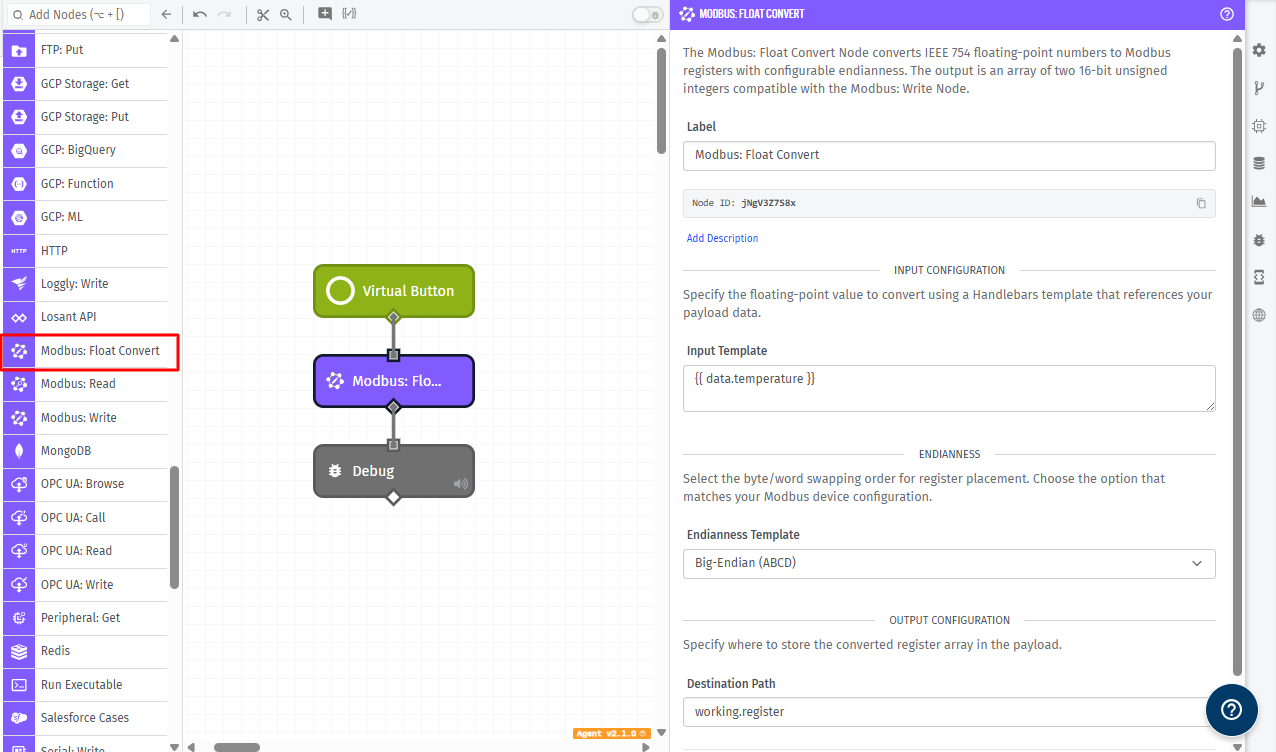
The Modbus: Float Convert Node converts a number into an array of two 16-bit Modbus register values. This node supports multiple register and byte ordering formats so you can match the endianness required by Modbus-enabled device.
Node Properties
This node has three configuration fields.
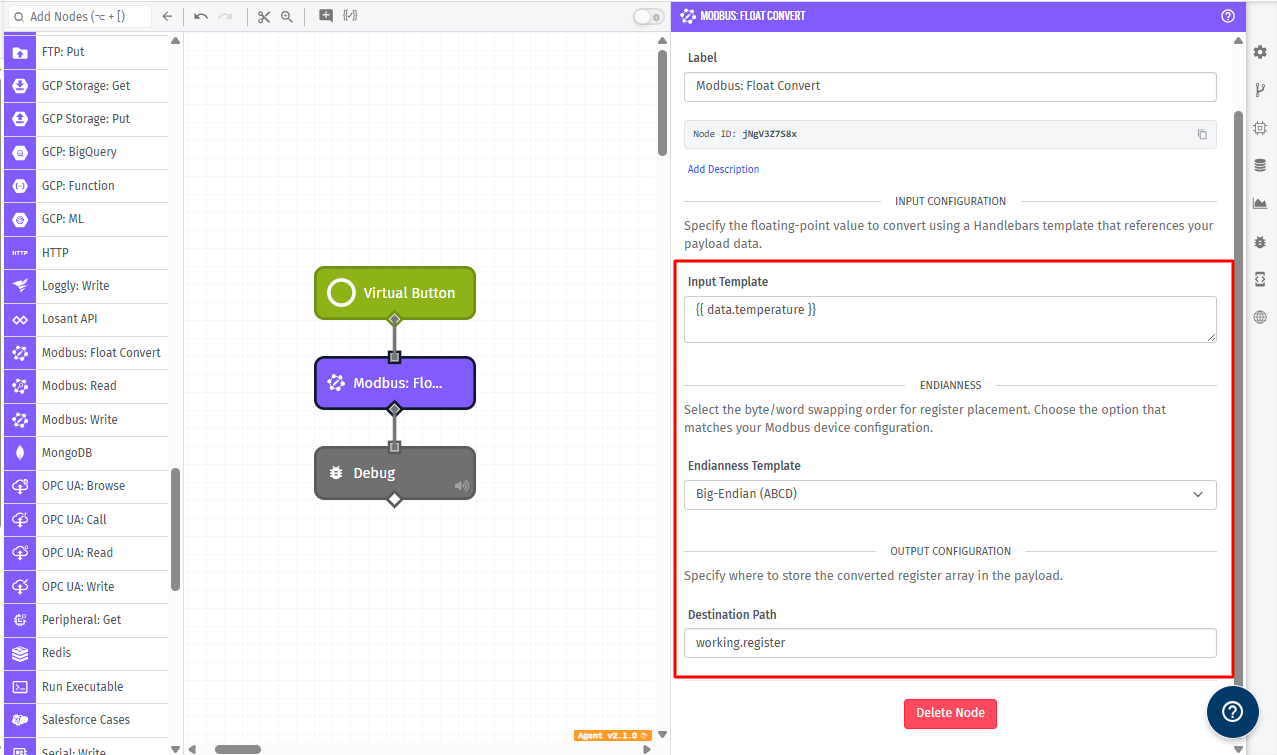
Input Template
- Input Template: (Required) A string template that resolves to the numeric value to convert. The resolved value must be a valid number.
Examples:
- A template such as
{{data.temperature}}
If the resolved value is not numeric, the node throws a validation error.
Endianness Configuration
The following endianness options are supported:
big: Big-endian word and byte order (ABCD)little: Little-endian word and byte order (DCBA)bigByteSwap: Big-endian with bytes swapped in each word (BADC)littleByteSwap: Little-endian with words and bytes swapped (CDAB)
Destination Path
- Destination Path: (Required) A payload path where the resulting array of Modbus registers will be stored.
The value written to this path is always an array containing exactly two unsigned 16-bit integers.
Node Example
The following is an example of converting a value from the payload and storing the result for a later Modbus write:
{
  "data": {
    "temperature": 2.54
  }
}
With the following node configuration:
- Input Template:
{{data.temperature}} - Endianness Template:
big - Destination Path:
modbus.output
The resulting payload will look similar to:
{
  "data": {
    "temperature": 2.54
  },
  "modbus": {
    "output": [16418, 47186]
  }
}
Node Errors
This node throws a validation error in the following situations:
- The Input Template does not resolve to a valid number.
An example invalid input error message is:
{
  "type": "Validation",
  "message": "inputTemplate value cannot be not-a-number, it must be a valid number"
}
Related Nodes
Was this page helpful?
Still looking for help? You can also search the WEGnology Forums or submit your question there.