Crypto: Encryption Node
The Crypto: Encryption Node allows you to perform symmetric cryptographic operations on your payload, encrypting or decrypting data using a secret key and a chosen algorithm.
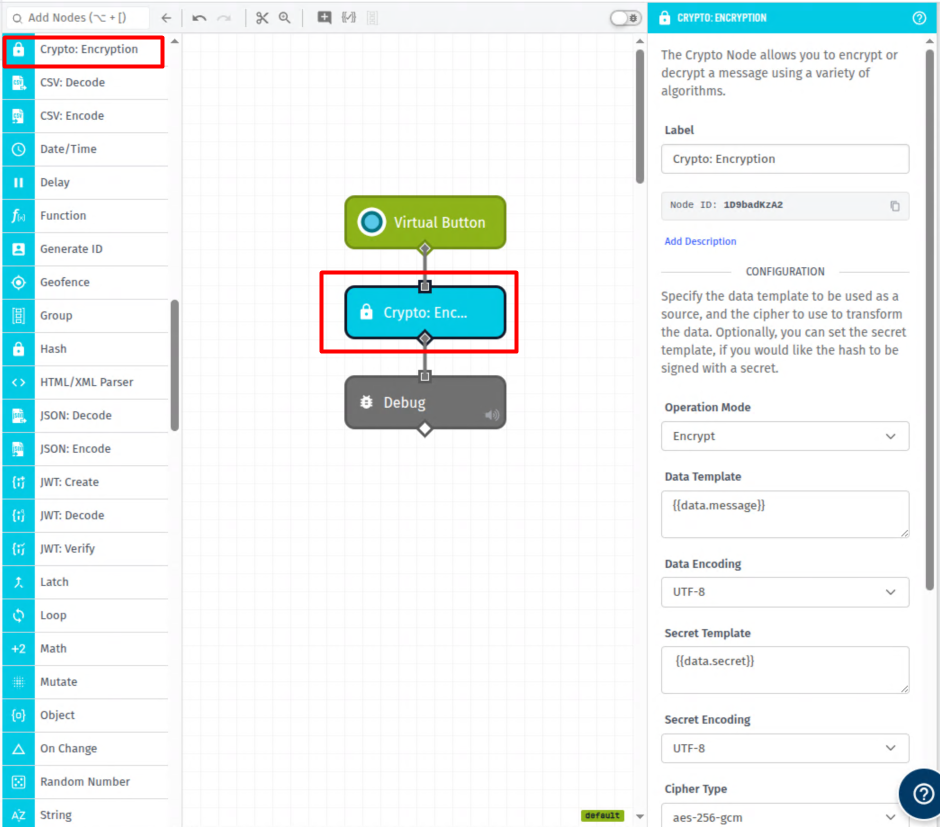
Node Properties
The Crypto: Encryption Node takes the following properties ...
Configuration
The Crypto: Encryption Node's configuration fields are:
-
Operation Mode: The operation the node should perform. Options are:
encrypt(Default) – encrypt the incoming data using the provided secret key.decrypt– decrypt previously encrypted data using the provided secret key.
-
Data Template: A string template that is the input data to be encrypted or decrypted.
-
Data Encoding: The encoding of the incoming data. By default
utf8is selected. -
Secret Template: A string template that resolves to the secret key used to encrypt or decrypt the data.
-
Secret Encoding: The encoding of the provided secret key. By default
utf8is selected. -
Cipher Type: The cipher used for the cryptographic operation.
Result
- Result Encoding: The encoding that the resulting encrypted or decrypted data should be formatted in. By default
hexis selected. - Destination Path: A path on the payload where the resulting value (ciphertext or plaintext) will be stored, e.g.
working.encrypted.
Node Example
Given the following payload ...
{
  "data": {
    "message": "My secret message",
    "secret": "*****REDACTED*****"
  }
}
... and a Crypto: Encryption Node with the following settings ...
- Operation Mode:
encrypt - Data Template:
{{data.message}} - Data Encoding:
utf8 - Secret Template:
{{data.secret}} - Secret Encoding:
utf8 - Cipher Type:
aes-256-gcm - Result Encoding:
hex - Result Path:
working.encrypted
The payload after execution of the Crypto: Encryption Node would look like:
{
  "data": {
    "message": "My secret message",
    "secret": "*****REDACTED*****"
  },
  "working": {
    "encrypted": "5d0056b743a344e04f5013a59e5682e8a7a98d64124bda37a6ba87abbec5efc74cbbbadbc01912bf22a247084c"
  }
}
Was this page helpful?
Still looking for help? You can also search the WEGnology Forums or submit your question there.