Particle Device Function Call Node
The Particle Call Node allows a workflow to call a remote function on a device within Particle.
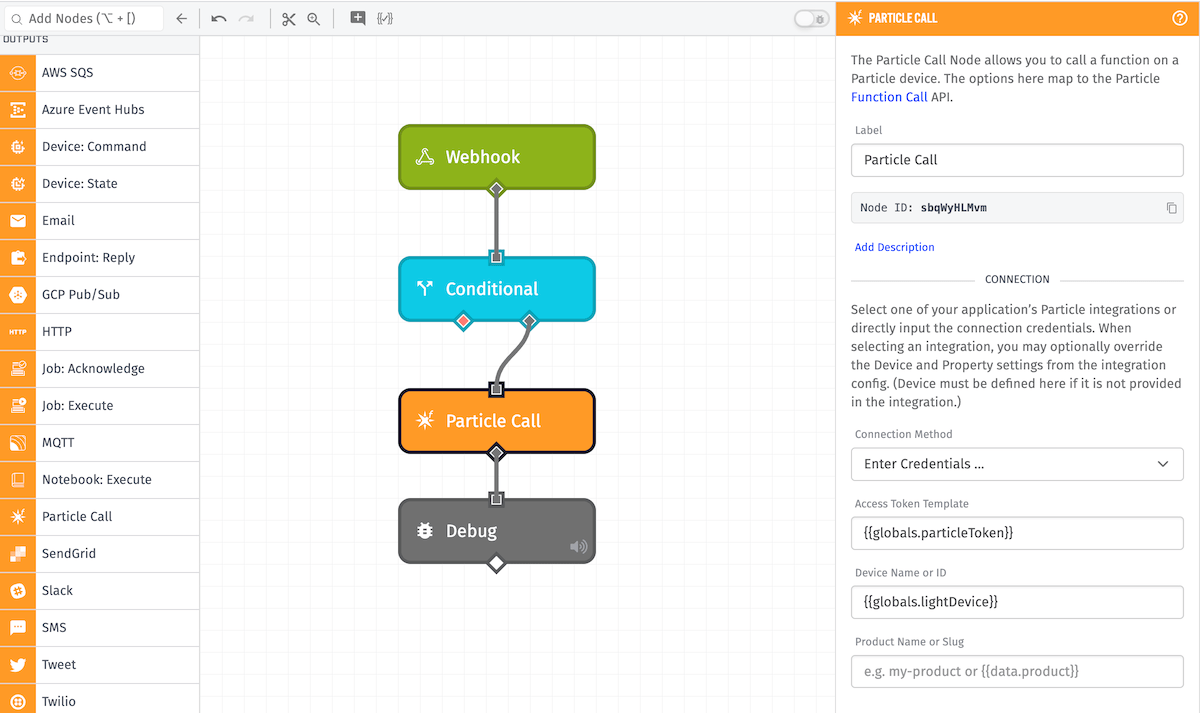
Configuration
Configuration for the node is broken up into three sections.
Connection
There are two Connection Method options available:
- Choose an Integration: Retrieves your Particle configuration from the selected Integration.
- Integration: Choose which of your application's Particle integrations you would like to publish the message on. The ID is templatable. Note: Integrations are not accessible from Edge Workflows, so only direct configuration is available to them.
- Enter Credentials: Configure the Particle connection directly within the node.
- Access Token Template: A Particle access token that has access to the target device.
This section also takes the following inputs:
- Device Name or ID: A device identifier. If it is not provided by an integration, then this field is required.
- Product Name or Slug: The product that this device belongs to inside of Particle. This field is optional, and templatable.
Function
The Function Name is the name of the remote function to call. This is templatable.
You may optionally include a string argument for the function call. There are two methods by which you an add an argument:
- String Template accepts standard template, which will be rendered as a string.
- Payload Path accepts a payload path to the value to use as the argument. If the value is an object, it is stringified as JSON.
Result Path
Optionally, you can store the function response on the current payload by entering a payload path here.
The returned value of the function call, for a successful call, will take the following form (which corresponds to the return value of the Particle callFunction call):
{
  "id": "the_particle_device_id",
  "last_app": "",
  "connected": true,
  "return_value": <the function return value>
}
In the case of a failed function call, it will take the following form instead:
{
  "error": {
    "message": "A message about the error that occurred"
  }
}
Was this page helpful?
Still looking for help? You can also search the WEGnology Forums or submit your question there.