Group: Create Node
The Group: Create Node allows a workflow to create a new Experience Group inside the current application.
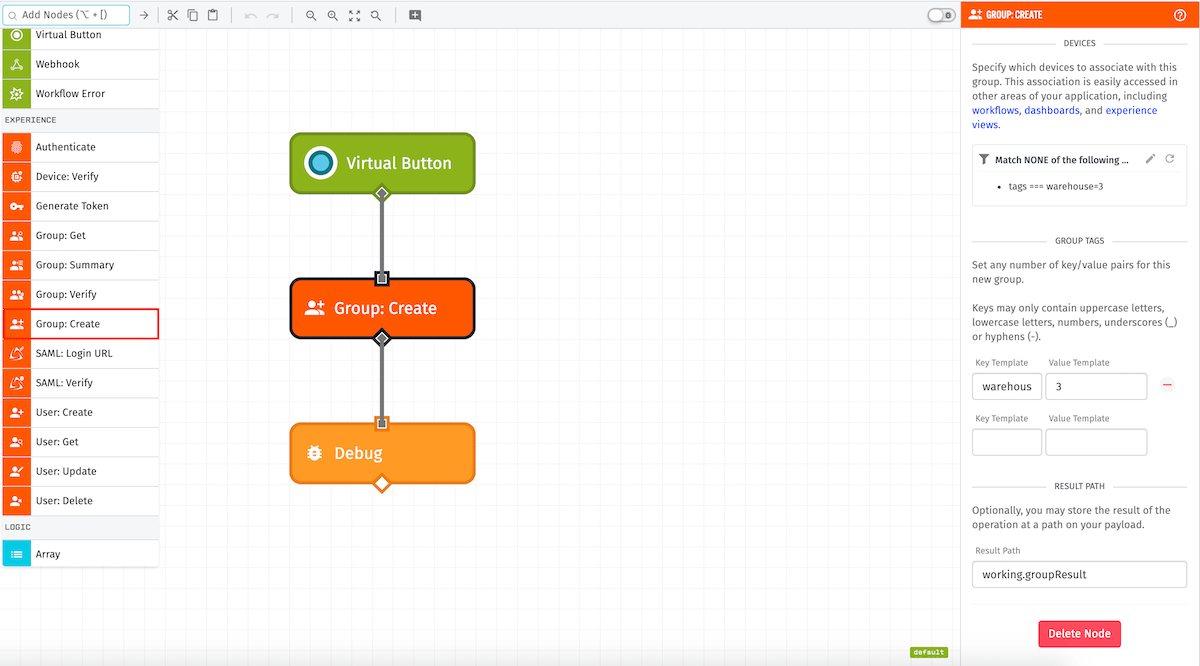
Node Properties
The Group: Create Node has two main configuration sections:
Group Configuration
The "Individual Fields" option allows for a simple configuration.
The "JSON Template" and "Payload Path" options are more advanced options because they give you full control over the group being created.
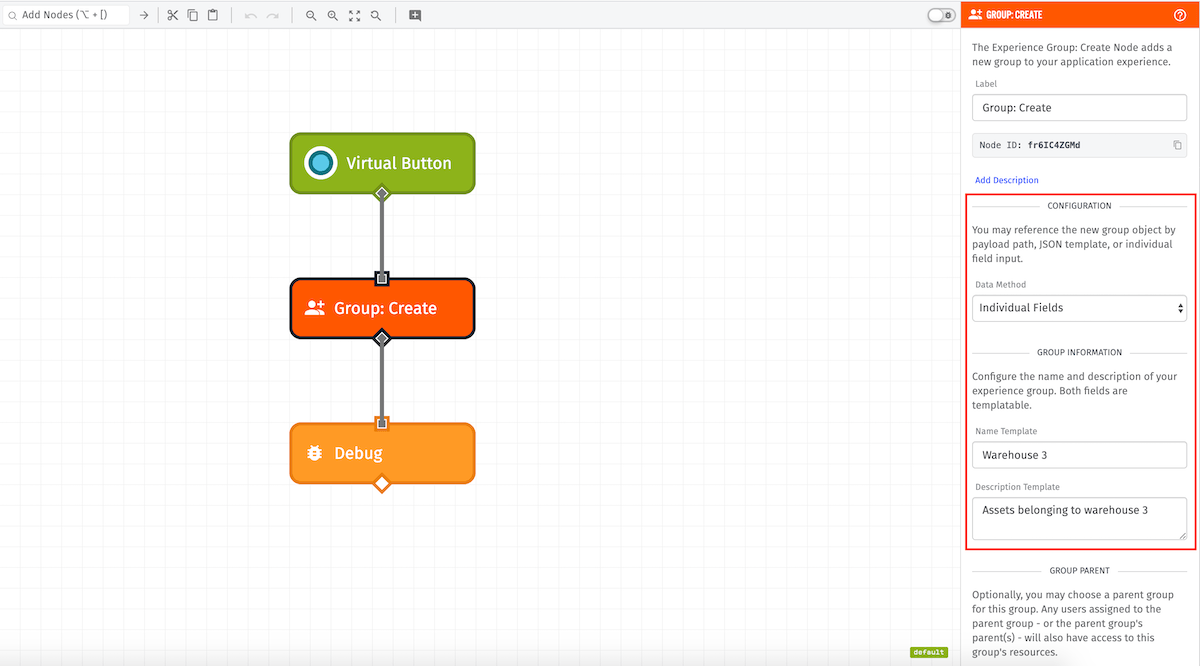
Individual Fields
Using this option, the block configuration is separated into various string templates fields:
- Name—Name of the group.
- Description—Description of the group.
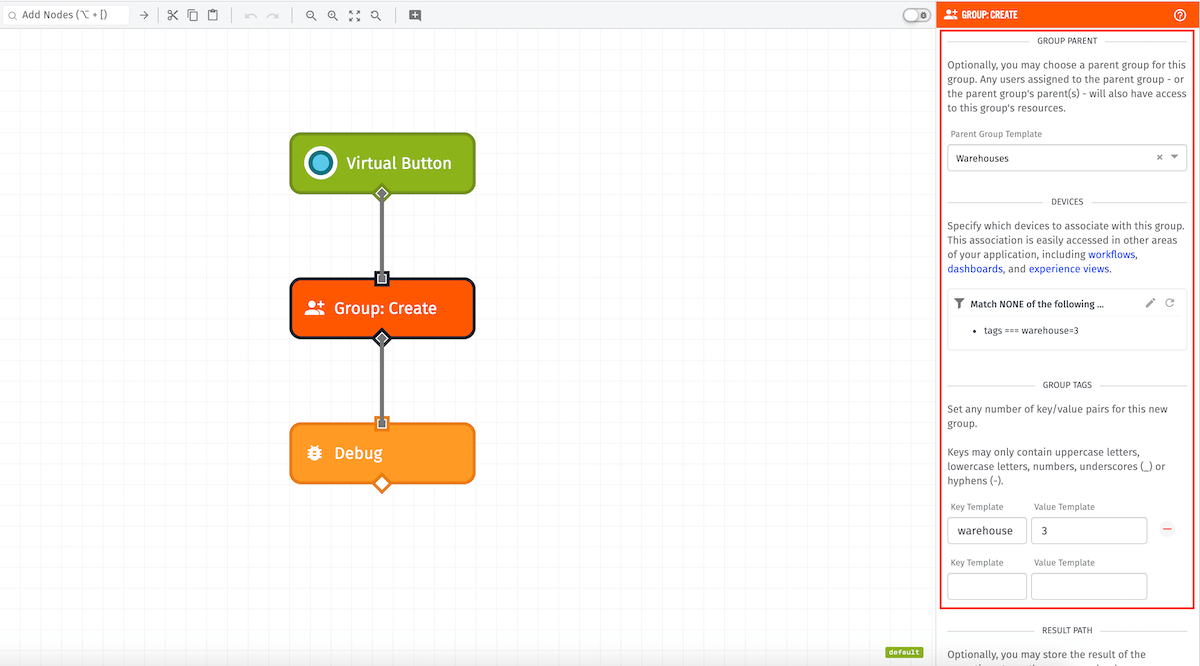
- Group Parent—Parent group of the group to be created.
- Devices—Advanced query that defines the devices to be associated with the created group.
- Group Tags—Tags to apply to the new group.
- Members—Initial users to assign to the group as members.
JSON Template
The input must be a JSON template string that can be parsed into a JSON object that validates against the Experience Group Post schema:
{
  "description": "{{working.group.description}}",
  "name": "{{working.group.name}}"
}
Payload Path
The input must be a payload path that points to an object on the current workflow payload that validates against the Experience Group Post schema.
Result
Optionally, you may provide a payload path at which to place the result of the operation.
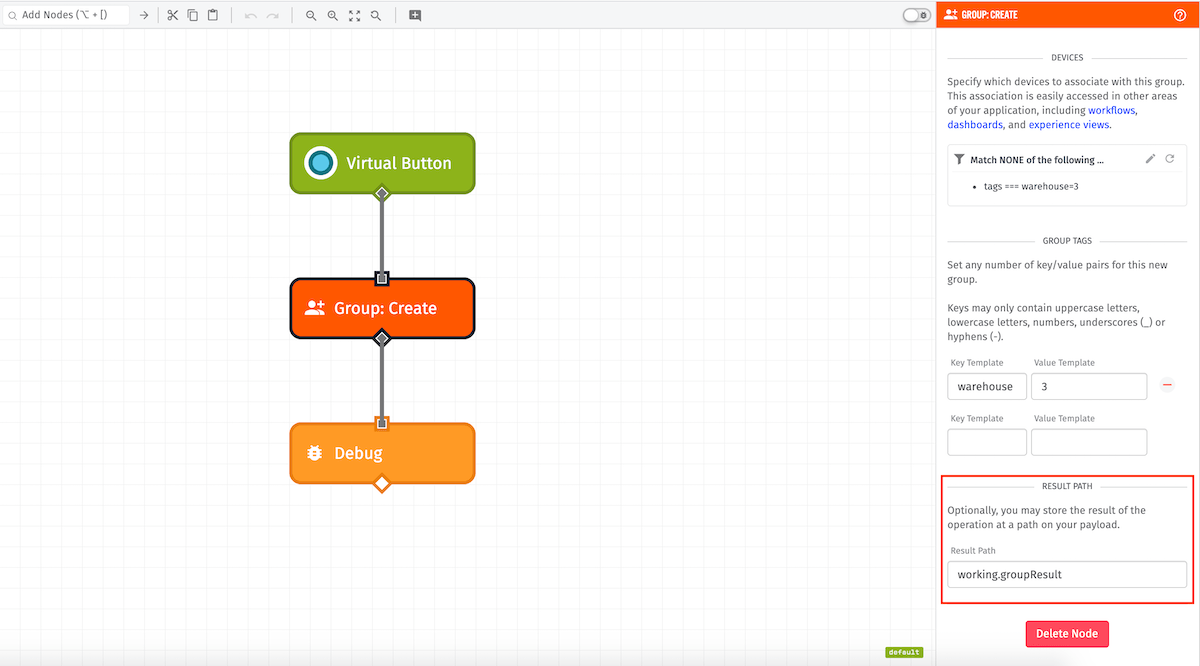
If node execution is successful, this will be the experience group object.
If node execution fails, this will be an object of errors.
Node Example
Upon successful execution, this is a possible result for a successful group creation:
{
  ...
  "working": {
    "groupResult": {
      "experienceUserIds": [],
      "experienceEndpointIds": [],
      "deviceTags": [],
      "deviceIds": [],
      "id": "5ea72535db6cd100075e95e7",
      "experienceGroupId": "5ea72535db6cd100075e95e7",
      "lastUpdated": "2020-04-27T18:32:21.631Z",
      "creationDate": "2020-04-27T18:32:21.626Z",
      "applicationId": "5ea04e5ba2efcc00077a81c8",
      "groupTags": {
        "warehouse": "3"
      },
      "deviceQueryJson": "{\n \"$nor\": [\n{\n \"tags\": {\n\"$eq\": {\n \"$tagKey\": \"warehouse\",\n \"$tagValue\": \"3\"\n}\n }\n}\n ]\n}",
      "parentId": "5ea7229c93f1de000702590f",
      "description": "Assets belonging to warehouse 3",
      "name": "Warehouse 3"
    }
  }
  ...
Node Errors
If the Group: Create Node encounters an error, it will be placed on the payload at the configured result path like so:
...
{
  "working": {
    "groupResult": {
      "error": {
        "message": "name is required",
        "type": "Validation"
      }
    }
  }
  ...
}
Was this page helpful?
Still looking for help? You can also search the WEGnology Forums or submit your question there.