OTLP Node
The OTLP Node sends telemetry data — such as logs, metrics and traces — to an observability backend using the OpenTelemetry Protocol (OTLP).
Node Properties
The OTLP Node is organized into five sections: Connection, Authentication, Resource Attributes, Telemetry Items, and Result.
Connection
Configures the destination for the telemetry data.
- OTLP Endpoint (Required): The URL of the OTLP-compatible receiver. Accepts string templates.
- Protocol (Required): The transport protocol to use. Available options are:
- HTTP/JSON: Sends data over HTTP using JSON encoding.
- gRPC: Sends data using the gRPC protocol.
- HTTP/Protobuf: Sends data over HTTP with binary Protobuf encoding.
Authentication
Configures optional authentication for requests sent to the OTLP endpoint.
- Authentication Type: The method used to authenticate with the backend. Available options are:
- None: No authentication headers are added to the request.
- API Key / Custom Header: Adds a custom HTTP header to the request. When selected, the following fields are required:
- Header Name: The name of the HTTP header.
- Header Value: The value of the HTTP header.
Resource Attributes
The Service Name field identifies the source of the telemetry data sent to the backend. If left blank, it defaults to wegnology-workflow.
Telemetry Items
You can configure one or more telemetry items to send in a single node execution. Click Add a telemetry item to add additional entries. Each item requires a Signal Type, which determines the available fields for that entry. You can mix different signal types within the same node invocation.
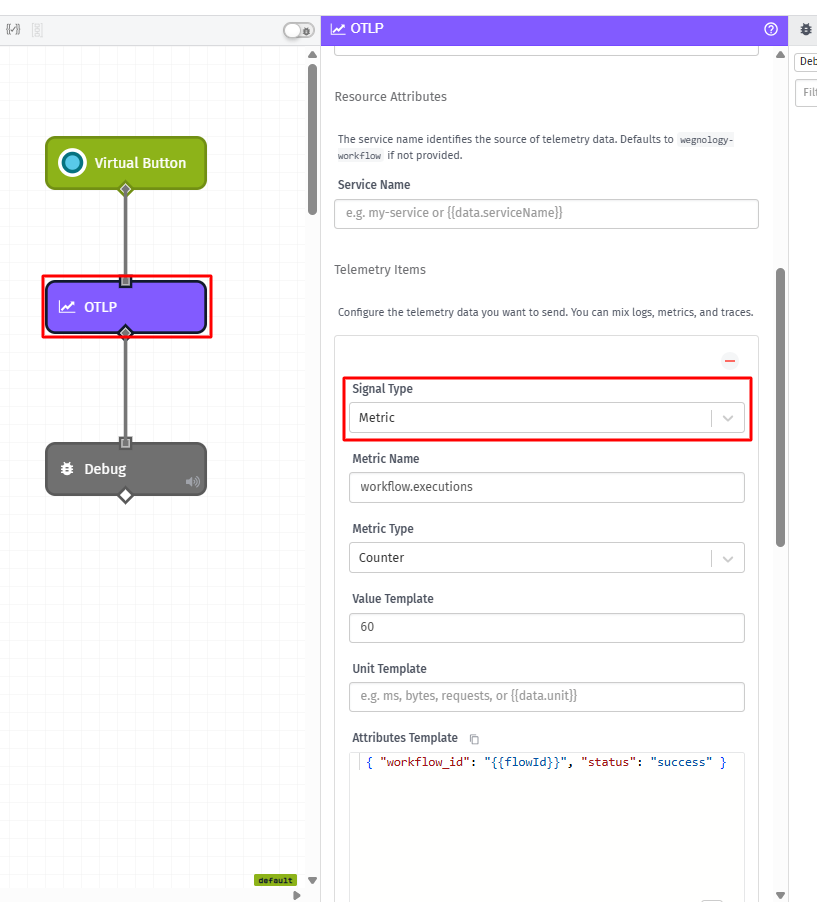
Metric
When Signal Type is set to Metric, the following fields are available:
- Metric Name (Required): The name of the metric to report.
- Metric Type (Required): The type of the metric. Available options are:
- Counter: A monotonically increasing value.
- Gauge: A value that can go up or down.
- Histogram: A statistical distribution of values.
- Value Template (Required): The numeric value to report for the metric.
- Unit Template: An optional unit descriptor for the metric value.
- Attributes Template: An optional JSON template defining key-value pairs to attach as attributes to the metric data point.
Log
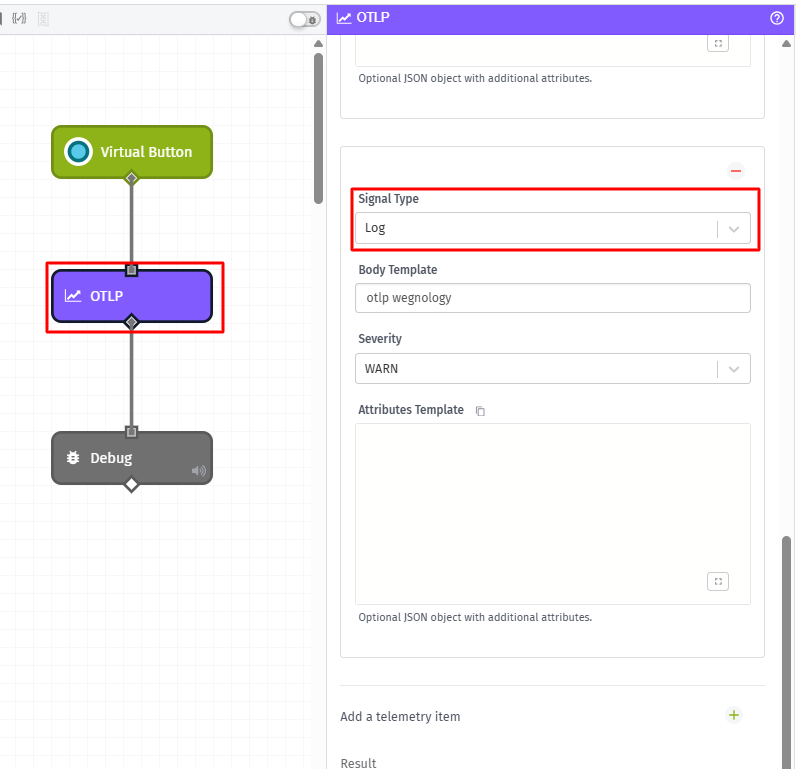
When Signal Type is set to Log, the following fields are available:
- Body Template (Required): The log message body. Accepts string templates.
- Severity (Required): The severity level of the log entry. Available options are
TRACE,DEBUG,INFO,WARN,ERROR, andFATAL. - Attributes Template: An optional JSON template defining key-value pairs to attach as additional attributes to the log record.
Result
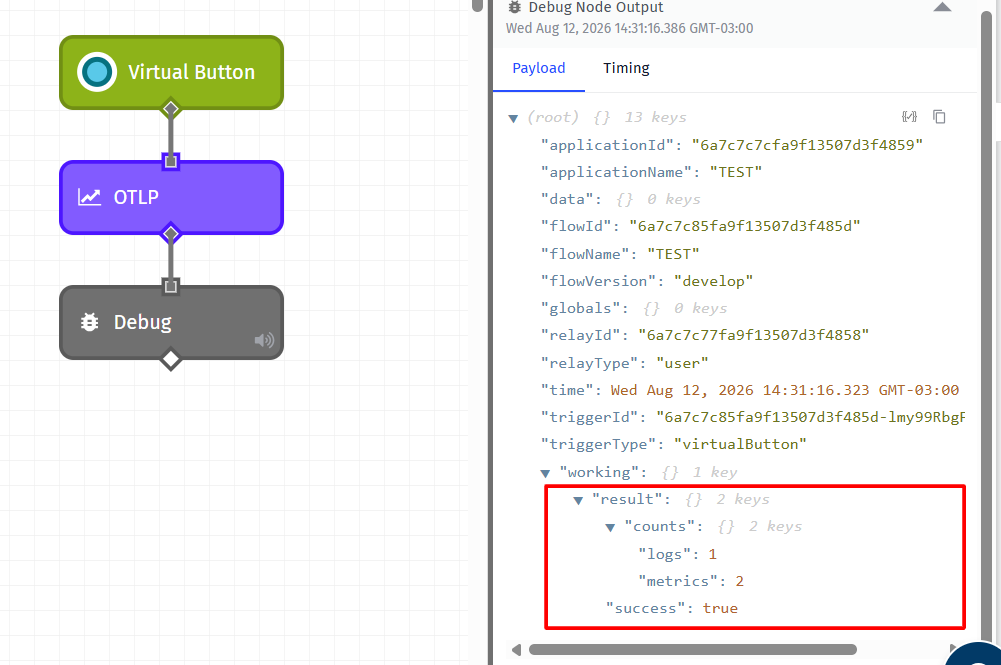
- Result Path: Optionally, enter a payload path where the node will store the execution result. If a path is provided, the node places an object at that path with the following properties:
success: A boolean indicating whether all telemetry exports completed successfully.counts: An object where each key is a signal type ("logs","metrics") and the value is the number of telemetry items sent for that type.
Error Handling
- Error Behavior: Determines how the node behaves when the export fails. Available options are:
- Throw Error: The workflow stops and reports an error. This is the default behavior.
- Place Error on Payload Path: The workflow continues execution and places the error details at the path specified in the Error Path field.
Was this page helpful?
Still looking for help? You can also search the WEGnology Forums or submit your question there.